$Tag <Input> choices are missing, need basic <input> choices (x, y, z, each)

Can't the <input> for a $Tag Rule be the same as the Component Report's Data Columns? [count], [width], & [height] are missing from the input choices. This would solve a multitude of problems when trying to add fixed costs to parts that have variable costs. For example: Each door frame piece needs a tenon added on both ends for a total of 2 tenons per piece. If you add the tenons as a fixed price in an $Object Rule, all of the $Tag Rules are overridden and "lost". But, if the choices for input were expanded to include all of the data outputs on a component report, you could select [count] as the $Tag's Rule <input>. From a "rule's" perspective, isn't it always being assigned to a "single" component, making count always equal to '1'. So, if the <input> is set to [count] OR [Each], then the $Tag Factor <input> could be set to represent the labor cost for that part's needed modification, in this case $12 for two tenons. In addition, there are lots of instances where the [width] instead of the [length] would be useful or even the [height]. Why wouldn't all dimensions be able to be chosen for a $Tag's Rule <input>?
-

Hi Jeremy - thanks for explanation your request and use case in detail. Very helpful. I've seen a similar request in the past for adding 'count' as a tag rule. How are the rules set up for your door frames? Are these setup as variable costs using tag$?
There are some challenges to consider with this one. When you assign a tag to an object, all nested child groups and components also inherit that tag. So what should the 'count' be? Should the count be the number of objects with the tag actually assigned to it? Or should the count also include the (untagged) child objects which also inherit the same tag as their parent?
You make a good point also about adding height and width as options for the tag rules. We'll definitely consider that for a future update
-
Hi Dale, Thank for your reply.
"How are the rules set up for your door frames?" Are these setup as variable costs using tag$?
Yes. I use (need) variable costs and I use (need) fixed costs, also, for the same part(s). So, I am really wishing there was another "variable" column when setting up the @Tag Rules for a sketchup component assigned to one tag. I need to be able to treat each component as a single instance and use its variable data (width, length, height, its own instance). I imagine this has got to be a common need. If I am charging per foot to cut a rectangle piece of plywood. I need more than the default length. I need the width also. Other's have commented they need to price the perimeter of a part. You could do 2 rules, on with the width at a factor of 2 and one for the length at a factor of 2. But, anyways... My piece of cut plywood may need 5 holes drilled in it or a notch cut out of one corner. What starts to happen is I have to create nested components that get put in another sketchup tag so I can represent these fixed costs. And, then I am unable to easily edit my drawings, because every component has an additional joinery component, assembly component, processing component, etc. nested in to it and on another sketchup tag. I read through the others' comments and people have the need for the same.
I want to note also that when I do a component report, it shows me the total length, total width, total height for each component's singular instance AND it shows me the "Grand" total of all the component's instances.
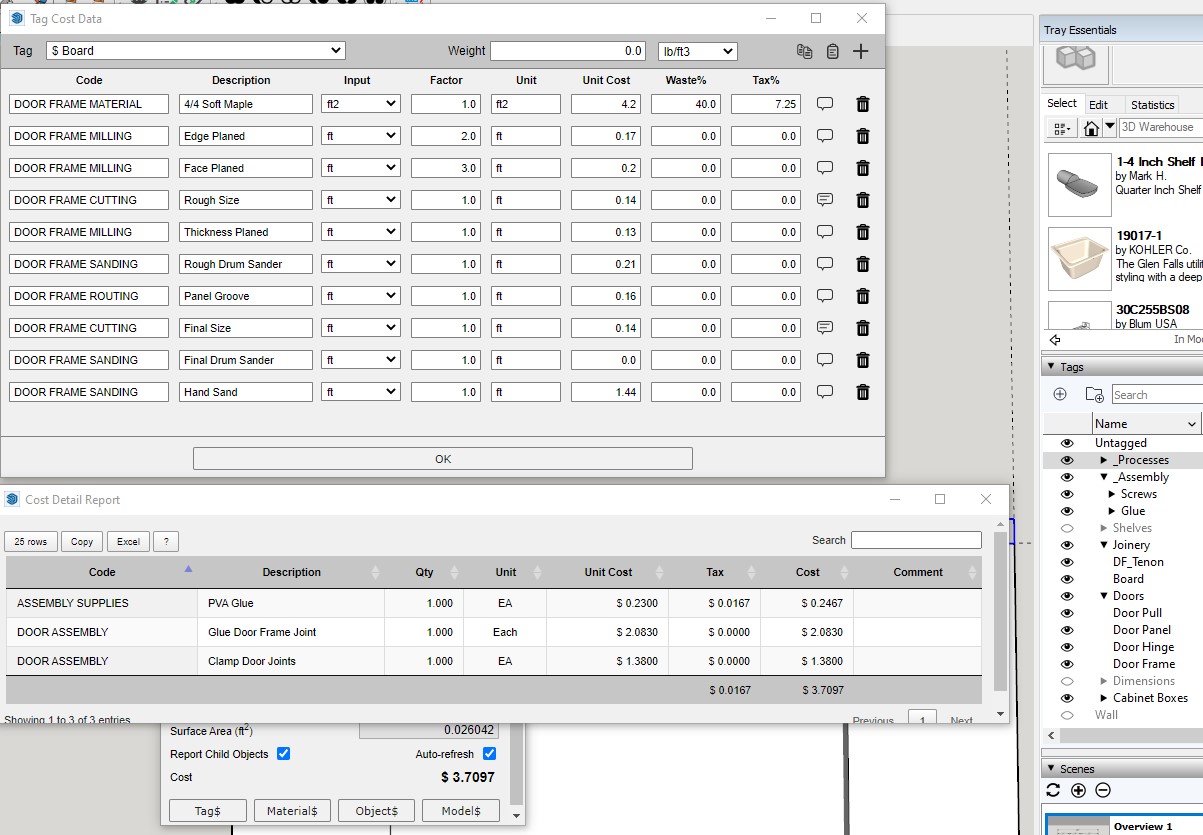
$Tag Rules for a Board and a Component Report:

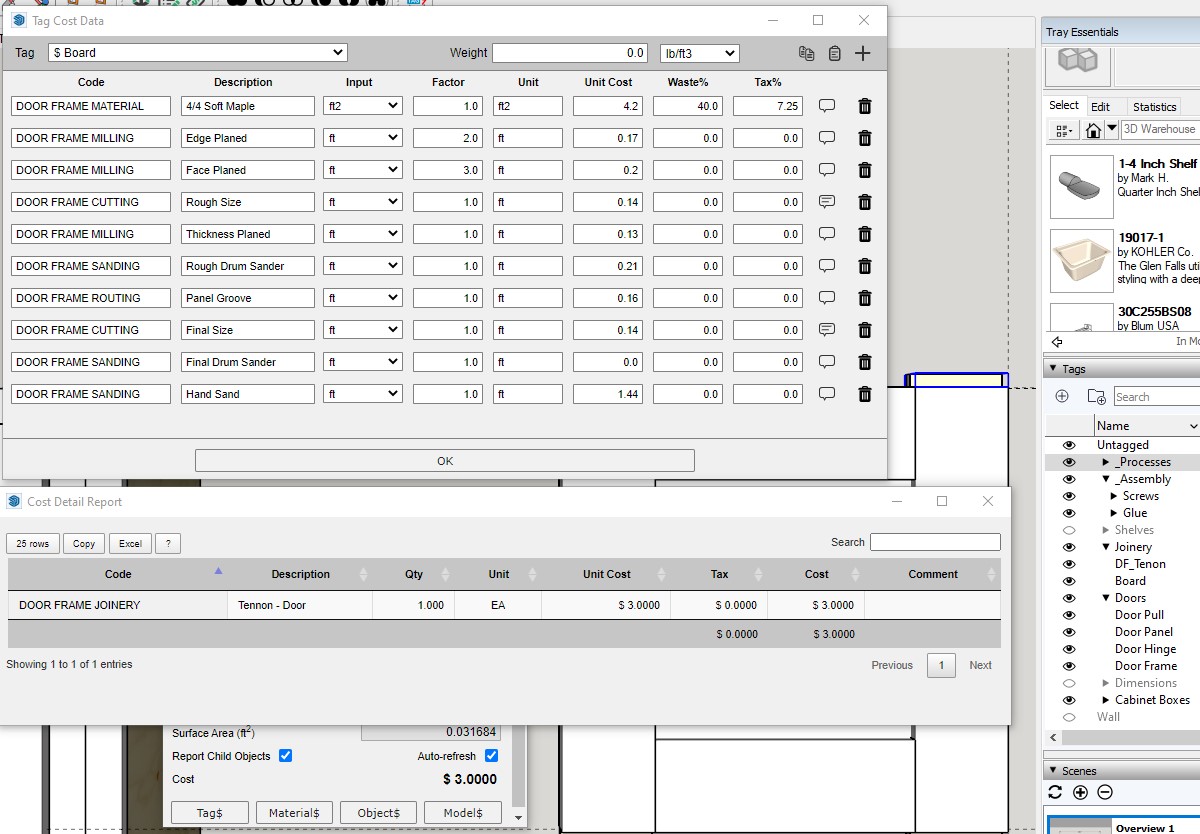
"Each" Board needs Joinery Data, I can't assign a rule using the variable "width" and I can't assign a $Tag rule using the fixed cost of "Each". So, I have to create another sketchup Tag and component. I have been trying to use just face components that are more or less 2D so they don't clutter up my drawings. But, they are not easily selected, if you stack or layer them in a drawing. Note the yellow end of the highlighted component in the picture. That is another component laid on top of the board component and I paint it another color, so I know it is there. And, there is another on top of it to make rules for the assembly.
Added Assembly and Joinery Work as an $Object Rule: Getting too convoluted... My brain is hurting. I wonder if I use a multi tag extension as a work around. Hmmm??? Wish I could assign fixed costs to $Tag rules...
Please sign in to leave a comment.
Comments
3 comments