Profile Builder 3 component once to the right and once to the left

Hello.
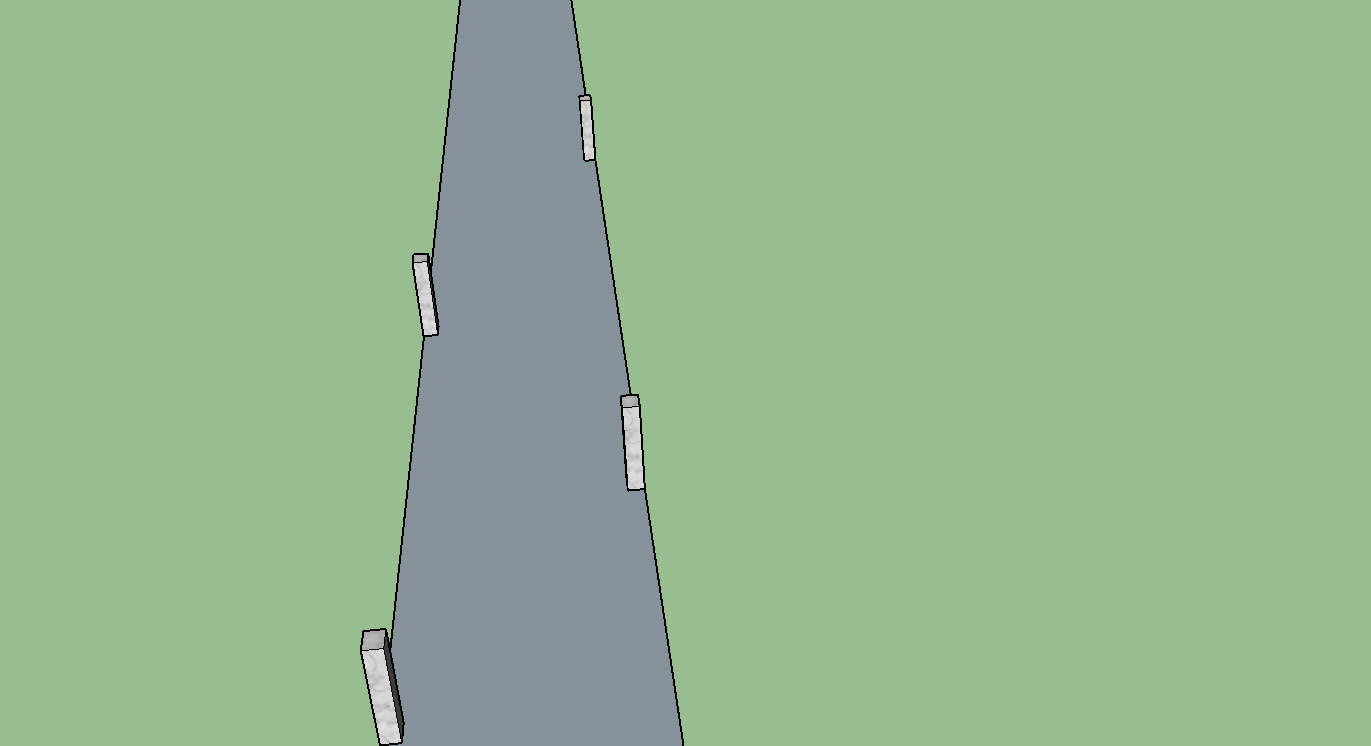
How to add a component along the lines once to the right and once to the left. One from the other must be 10 meter away.
Like this.
-

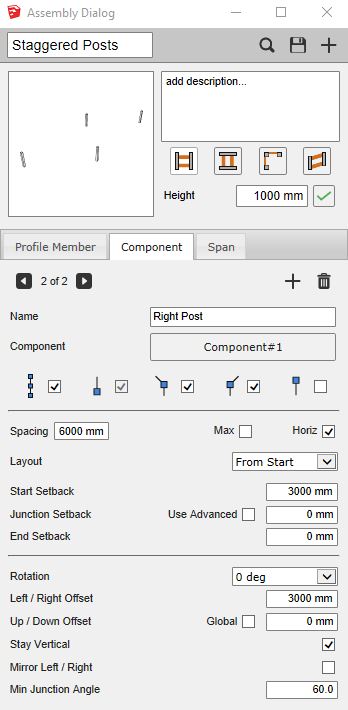
Try this assembly. You need to create two component parts with the following settings:
Part 1 (Left Post)
- Fixed spacing (uncheck ‘max’ spacing)
- Set spacing to the distance between the left posts
Part 2 (Right Post
- Fixed spacing
- Set spacing to the distance between the right posts
- Set the start setback value to half of the spacing between the right posts
You may also wish to uncheck the box that places the components at the ends of the path.
I also attached an assembly SKP example to your forum post here:
Please sign in to leave a comment.
Comments
1 comment