Flat Tiled imagery purchased, how to project onto terrain in sketchup

I started a post in the SketchUp forum on this topic, but have not found an answer, hoping to find a solution in here instead. Here is a link to my post.
I have a very high quality tiled aerial image that was purchased from Nearmap through the PlaceMaker plugin for SketchUp Pro. Below the tiled aerial image I have a surface that was created from contours. I need to apply the tiled aerial image to the surface, however there are too many tiles to do this efficiently, and I would like to find a better way.
My issue is that the tiled aerial image from nearmap is very large with around 100x100 tiles and this is only part of a larger project broken down into a grid system, each grid will have another 100x100 (or larger) tiled image. All in this project has over 60 grid squares we need to manipulate. I am looking for the most efficient way to apply the nearmap tiled aerial image onto the terrain surface below without having to copy and paste each individual square one by one. Instead, is there not a method that allows me to sample all of the tiled imagery and paste it onto the surface below? copying and pasting each individual tile grid will take days and this model will need to be updated frequently. Below is an image of one of the 60 tiled aerials we need to apply to terrain…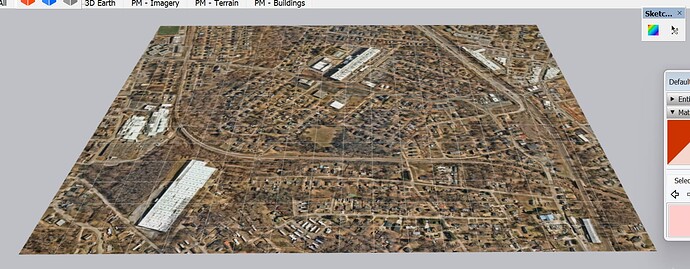 This is what happens when I sample the tile image and try to paint it onto the surface below:
 I realize there is a ‘combine textures’ option, that would convert the tiles into a single image, but I do not want to loose image quality.
SO I TESTED COMBINING THE TILED AERIAL IMAGE using the COMBINE TEXTURE command...
Well using the ‘Combine Texture’ feature in SketchUp is not the way to go. It has SIGNIFICANTLY reduced the image quality as I assumed it would, almost to the point of being un-useable. I need to find a better solution to this problem and am open to any suggestions. Not only did the Combine Texture feature significantly reduce the image quality, but the file size is also slightly larger now… so it is a loss on 2 fronts.
here is the before tiled image:

here is the tiled image after combine texture command:
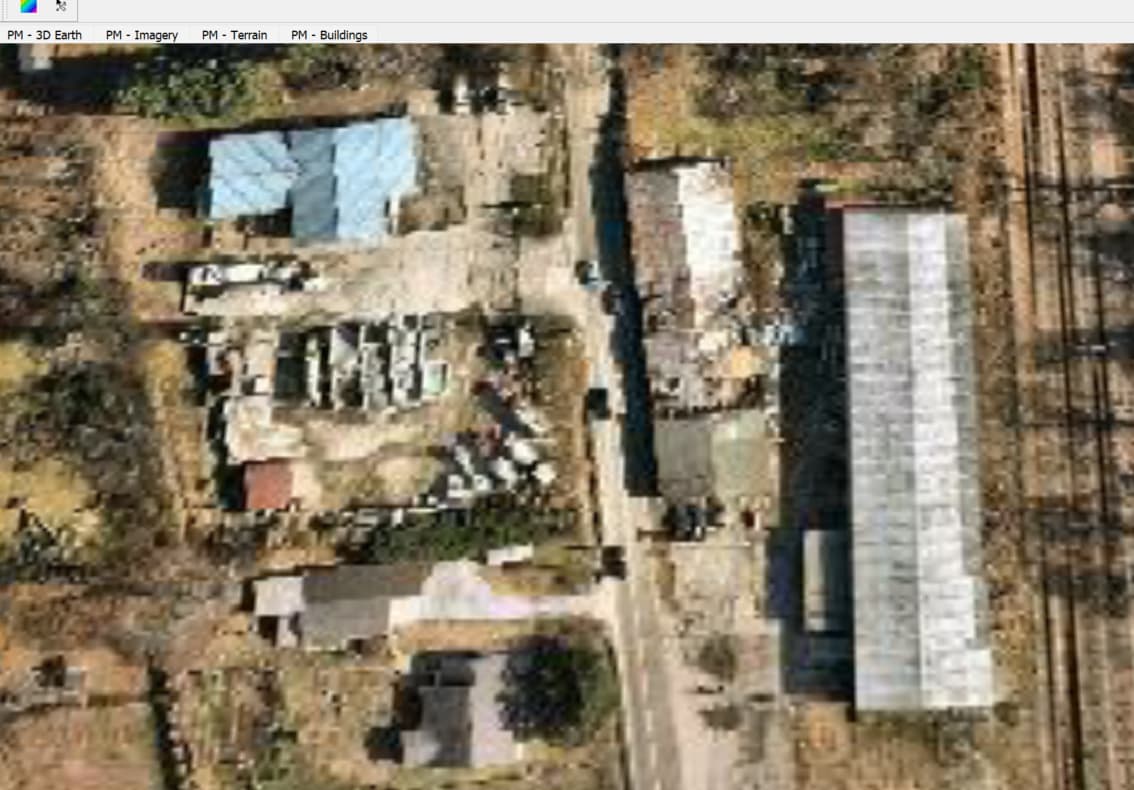
-
I would like to know from the PlaceMaker team, since we purchased the nearmap aerial and subscribe to the PlaceMaker software, can we get the aerial again put have it applied to the new surface? Or does this constitute an entirely new aerial purchase? We paid almost $2000 for this aerial and now need to apply the tiled aerial to a new surface, is there not a defined method for this process? or are we stuck with having to buy the exact same image again... but have the application apply it to the surface for us. We would really like to get some direction on what is the best path forward, thank you
-

Hi Whitaker - sorry for the delayed reply. Ideally, you would have used the PlaceMaker 'merge with surface' option when importing the imagery and it should be already applied to your terrain.
To avoid having to purchase the aerials again, the only way I can see it working is to write a custom SketchUp plugin to do the job. Unfortunately it is not a trivial plugin to create.
I will discuss your issue further with our team and see if there is anything else we can do to help you out - perhaps a discount on repurchasing the aerial or some workflow tips to make the job easier.
Please sign in to leave a comment.
Comments
2 comments