NEW PROFILS

Hi, it is possible to design with an C U Z or Sigma section ? does the connexion can match like the standard profils (IPE, UPN...) ? it is possible to add our proper connexion ? we have an excel table for our proper profils, how can we do to add this on decasteel software ? it was an good software if he can developp thanks !
-

As Dale said, for now at least, you will have to create C,U and Z cold formed sections in Profile Builder (or native Groups/Components). If you make up Assembly's with the connections within them, they work pretty well.
Admittedly, not great if you have to produce shop drawings with the cleats on the beams, and holes in the cold formed sections.
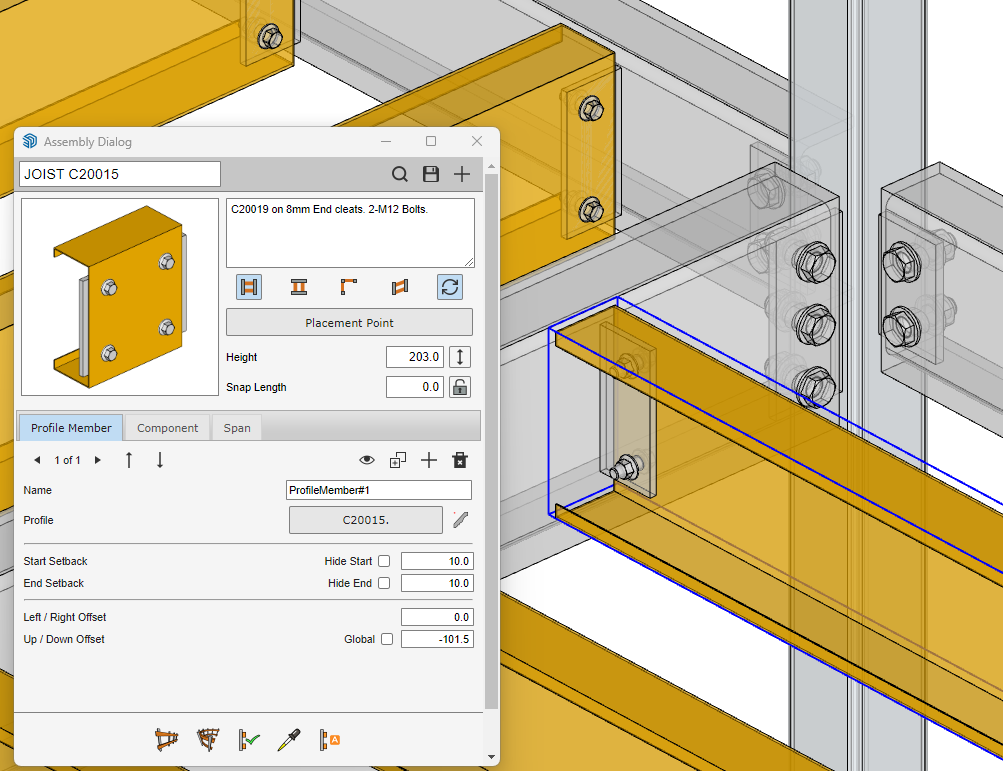
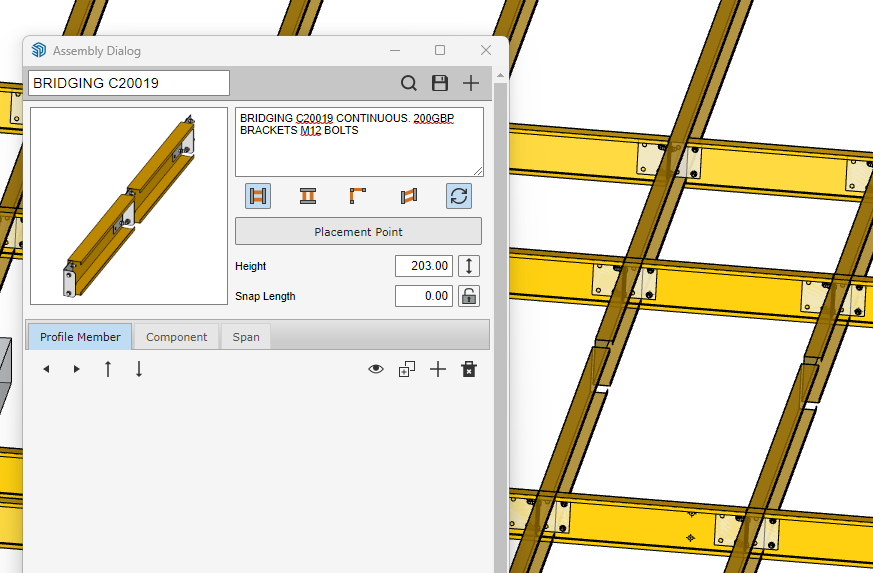
-
Yes the screen shots are the UI from Profile Builder. I too have a large library of connections I have saved over the last ten years as Components. They are used in the screenshots here. Create a profile of the C/Z member. Then make it a Profile Builder Assembly, adding your connections as Components where you need them. Like DECAsteel, There is a LOT of training videos available on the Profile Builder website (which are pretty fast and hard to keep up with) along with a text version for each video which really help.
It’s taken a bit of effort to learn it, but it’s not hard, just different. It will take time to build a new library - I only add them as I need them.
With your components, just make sure parent components blue axis is up. Sub-components within can have axis in any direction.


Please sign in to leave a comment.
Comments
8 comments