How can Quantifier convert to man hours?

I run a manufacturing business and have found Quantifier to be very helpful with attributing fixed costs to profiles that I've built. Here is my problem though:
If I create a profile for 1x3" Aluminum Rectangle Tubing, I can then build that profile out to 10'. If I apply a cost to that tubing at $2 per foot, I get a total of $20. No problem. But I don't really know how to attribute man hours to it. If I can cut a piece of tubing to 1' long in 2 minutes, a 10' long cut shouldn't cost 10 times as much.
What I feel like I need is an ability to apply a cost to a quantity of items not length or weight.
Do you have any workaround or ideas on how to accomplish this? Keep in mind that I don't receive quotes from my own employees to add under the $Model tab.
-

The only solution I can think of for you is to create some sort of object in the model that represents the cuts or the labor involved. What is driving the man-hours? Is it only the cuts or can it somehow be related to the amount of material (length, area, volume, surface area)?
If it is only the cuts, you could create some type of dummy component and insert it inside the tubing object and copy it each time there is a new cut. Then, use the Object$ dialog to assign costs (man-hours) to the component. For each component found, the cost will get accumulated.
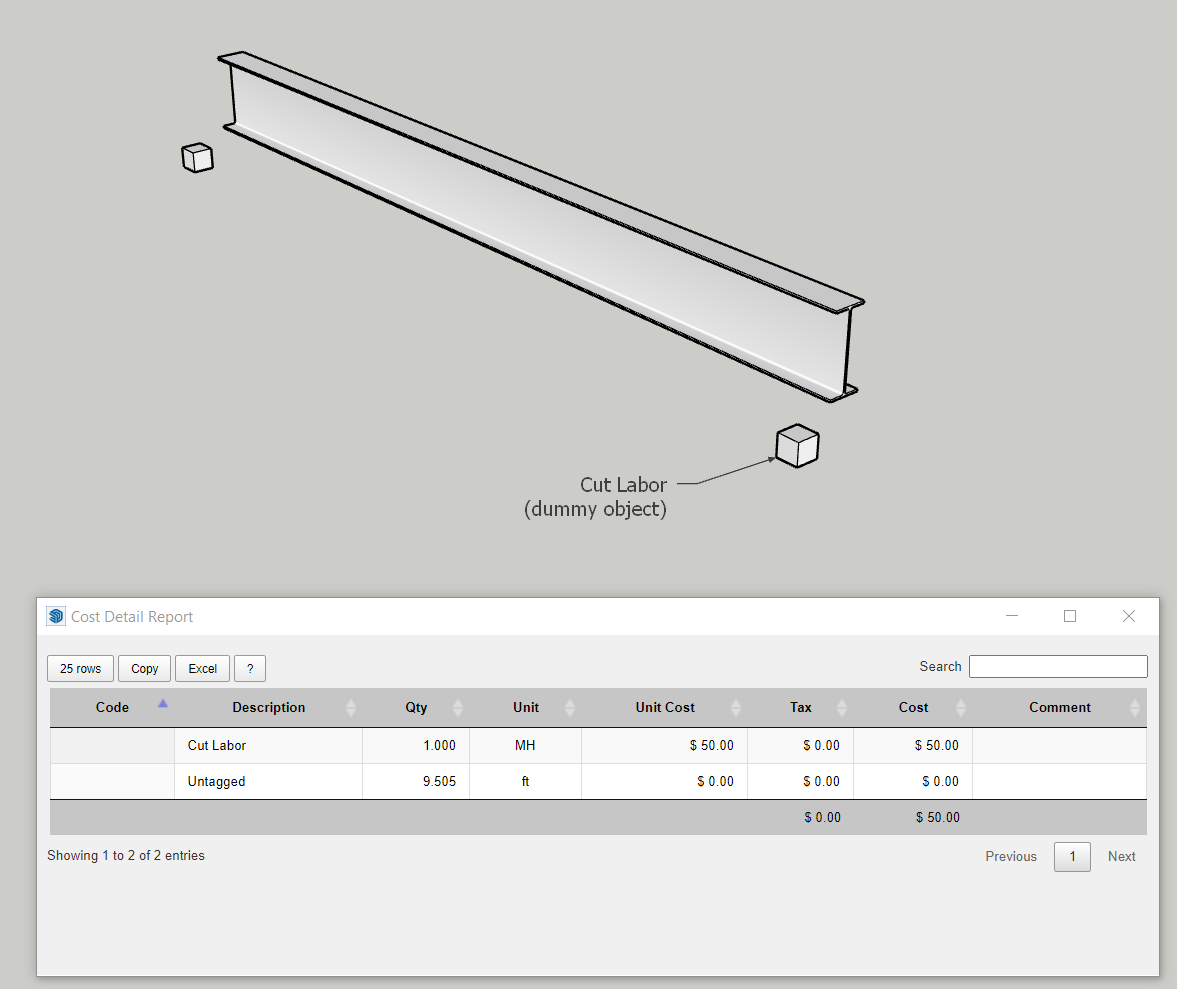
-
It is not only the cuts. We actually use cuts, welds and surface finishing. Finishing is easy, find how much time it takes to finish 1 sqft and apply a cost per hour. But it takes the same amount of time to apply a weld at each end of a 1' stick as it does a twenty foot stick. I don't have any way to quantify that. Taking welding and cutting out of the equation is not an option because those are the first operations that need to be done before any other operations can be applied.
Unfortunately, every single job I do is completely different from the job before so I would like a way to drag a profile and have an average cost associated with that component populated automatically. Any suggestions?
-
There's no easy way to do that. If you are familiar with Profile Builder assemblies, one potential solution would be to create an assembly that includes your profile and two components (one at each end). The two components at the end would represent the cutting / welding and you could assign costs for them accordingly.
Please sign in to leave a comment.
Comments
3 comments