Is profilebuilder the tool i need

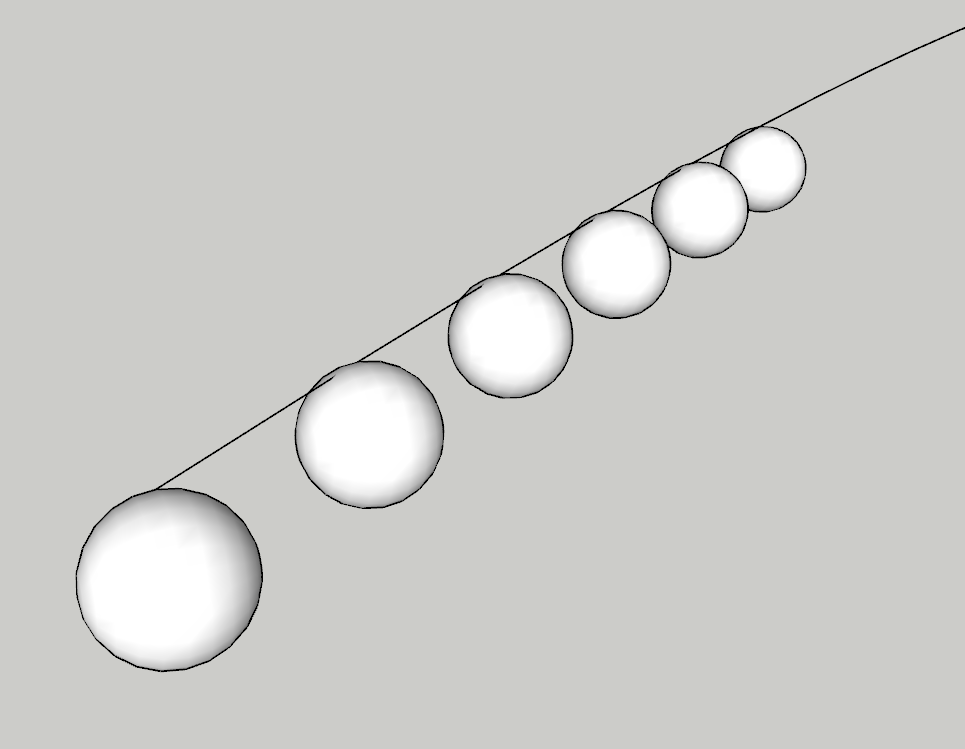
Hi, all, before I spend a lot of time going through tutorials learning to use it, I want to first ask if what I want to achieve is possible using PB. I basically want a quick way of placing a round ball at each vertex along arced lines:
Appreciate any help you can offer - Thx
-

PB can absolutely do this! Create your ball as a component, then use the Assembly Dialog, on the component tab select the ball, then have it inserted at each Junction (vertex) and use the "Build Along Path" button. You will probably have to adjust the Min Junction Angle to something small enough to catch each vertex. Hope that helps.
-
Thanks for the responses guys. For this to work I do need the components to be placed exactly on the junction / vertex as these will be the ends of wires on which the balls are suspended.
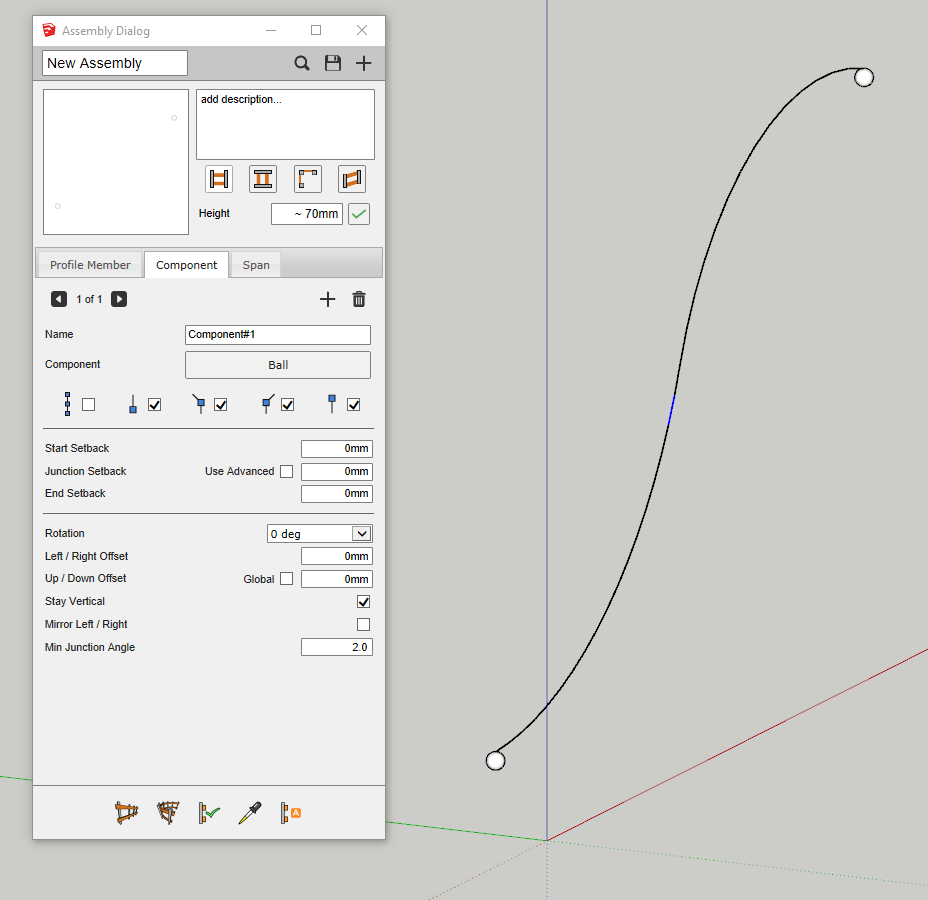
I've tried making the min junction angle very small but I only get a ball at either end of the path. The curves are exploded, I've selected one in the middle to illustrate.
Am I missing something in my settings to help make this work?

Please sign in to leave a comment.
Comments
4 comments