Profile builder sometimes skips lines when building along path

Sometimes when I use the build along path function profile builder 3 skips some of the lines. I have to go in and reselect those lines and run it again. Then modify that result to extend so that it intersects properly with the other lines. All the blue lines shown in the below examples are lines that the profile didn't get applied to. The zoom in section at the end shows how some of the 90 degree corners form a crazy spike instead of a 90 degree angle. Is there any way to resolve these issues?
Thanks! 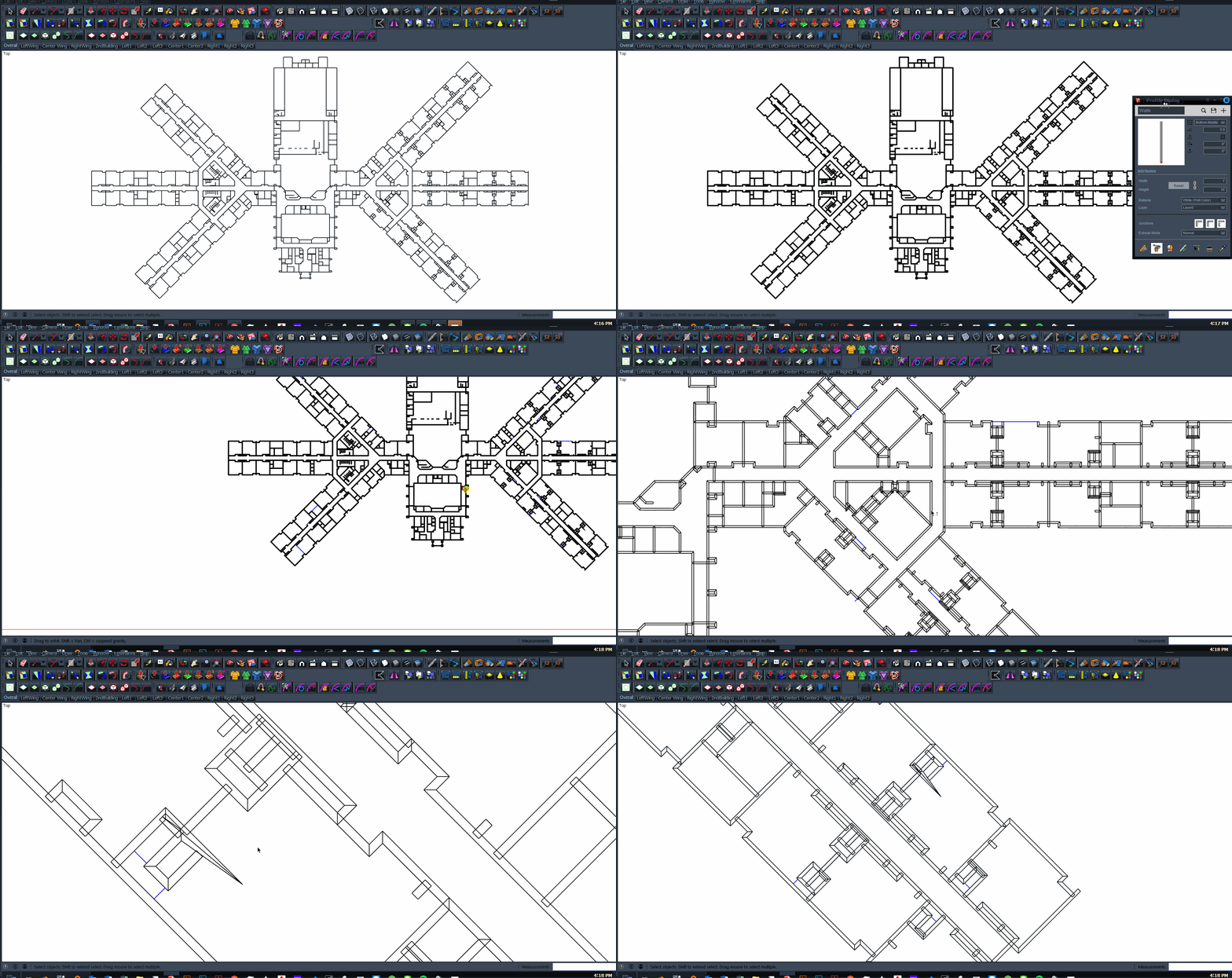
-
@Dale Martens - Thanks! Please let me know if you find a way to resolve the extrusion failure on some of the lines. Right now as a workaround, I just select some of the lines missing the extrusion and the lines connected to the missing extrusions and then re-run the build along path. This results in double extrusions in some areas which I know is a no-no in modeling, but it hasn't negatively affected my renders. I find that if I select all the lines that failed the first time it fails again.
@Mark Paschke - Thank you! The "CleanUp3" extension appears to have resolved the crazy spike issue on that particular model. I will use that going forward and see if that completely resolves the spike issue.


Please sign in to leave a comment.
Comments
3 comments