Length problem in report

I have a question since the last update.
If we draw a profile with the profile dialog and then adjust the length of the profile, it will not adjust in the Quantifier Pro report.

For example:
A 100cm profile adjusted to 50cm still remains 100cm in the Quantifier Pro's report.


We also use these profiles in the assemblies, which causes problems if they are modified.

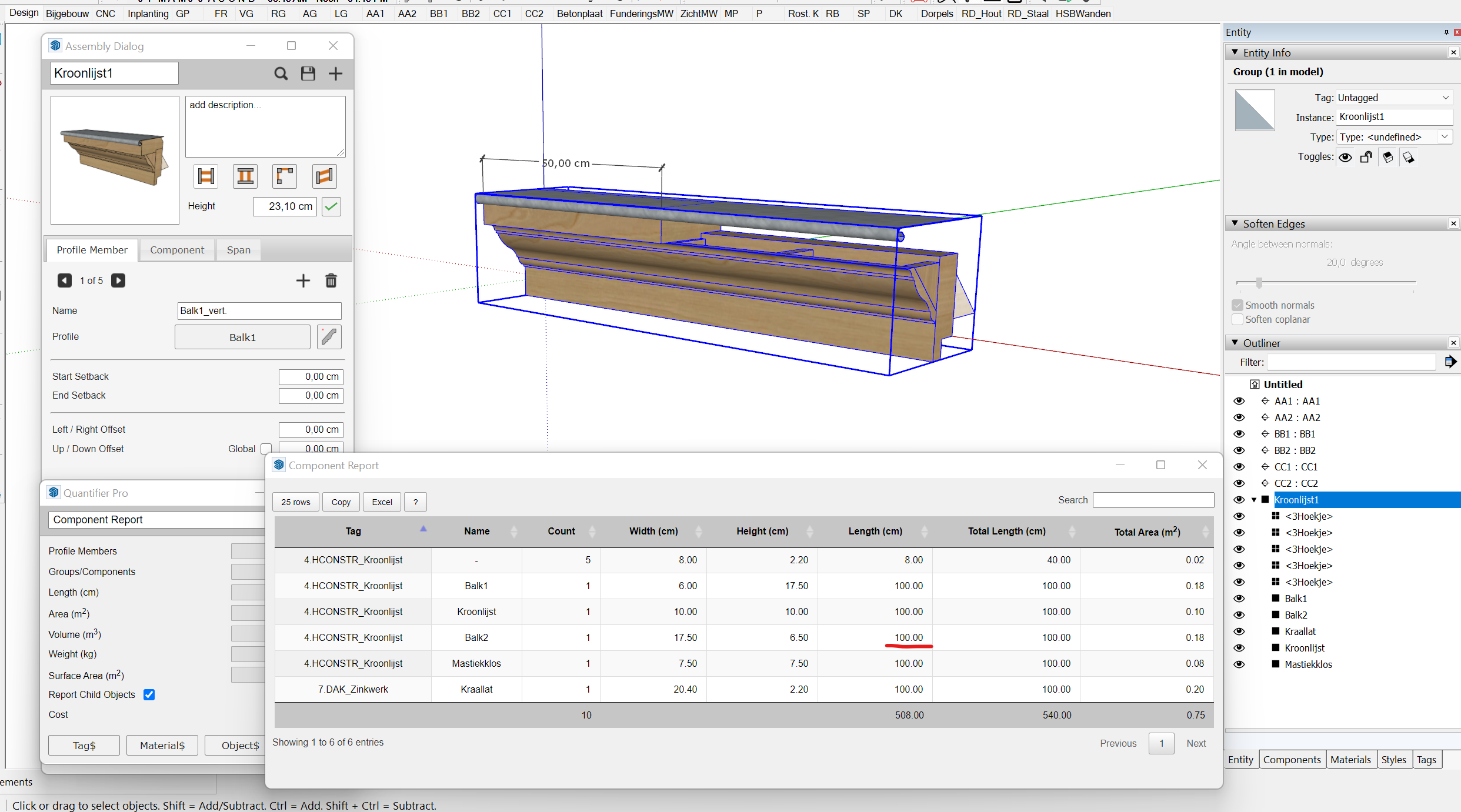
Can you help me with this?
Regards,
Brecht
-

This behavior has always existed and is well documented. When editing the length of Profile Members or assemblies, you must use the built-in tools in order to get the correct lengths in Quantifier Pro. Use the Extend Tool or Edit Path tool to modify the length of profile members and assemblies. You can not use the Push/pull tool to edit them if you want to keep the Quantifier results accurate.
Please sign in to leave a comment.
Comments
3 comments